

Powerful AI Tools Every Beginner Must know in 2026
Artificial Intelligence has become one of the most important parts of modern technology. In the past, technology often felt complex and difficult for beginners, but today AI tools have completely changed that experience. Now, even people with basic computer knowledge can use powerful tools to learn new skills, work efficiently, and earn online. AI tools help reduce effort, save time, and improve the quality of work in almost every digital task.
For beginners, AI tools work like smart assistants. They help with writing content, designing graphics, creating images, editing videos, managing daily tasks, and learning new subjects. You do not need to be a programmer or a technical expert to use these tools. Most AI tools are simple, user friendly, and designed to support beginners step by step. This article explains AI tools in a clear and easy way so beginners can understand what they are, how they work, and how they can be used in everyday life.
This article is written for students, fresh learners, freelancers, and anyone who wants to start their journey with powerful AI confidently and build useful skills for the digital world.
What Are AI Tools
AI tools are software applications that use artificial intelligence to perform tasks that usually require human thinking and effort. These tasks include writing content, designing visuals, analyzing information, learning new topics, making decisions, and organizing work. AI tools are created to assist humans, not replace them, by making everyday tasks faster and easier.
Powerful AI tools work by learning from data and recognizing patterns. They understand user instructions and then generate helpful results based on that information. For beginners, the most important advantage is simplicity. Most AI tools are designed with easy interfaces and work through simple text instructions, clicks, or voice commands. No technical or coding knowledge is required to start using them.
AI tools are widely used in education, business, freelancing, marketing, content creation, and personal productivity. Because they are user friendly and efficient, beginners can start using AI tools confidently without fear or confusion.
Why Beginners Should Learn Powerful AI Tools
Learning AI tools is no longer optional in today’s digital world. It has become an essential skill for beginners who want to learn faster, work smarter, and stay competitive. Beginners who start using AI tools early gain confidence because these tools simplify complex tasks and reduce confusion. Instead of spending hours on manual work, beginners can complete tasks quickly and with better accuracy.
AI tools help beginners reduce mistakes, increase speed, and improve overall results. They allow users to focus on creativity, ideas, and problem solving rather than struggling with technical details. Whether it is writing, designing, learning, or managing tasks, AI tools make the process smoother and more efficient. These tools also open doors to online earning, freelancing, and remote work opportunities, which are growing rapidly.
Another important reason to learn AI tools is future safety. Jobs and required skills are changing very fast. People who understand and use AI tools can adapt easily to new technologies and market demands. Learning Powerful AI tools helps beginners stay relevant, flexible, and prepared for future career opportunities.
AI Writing Tools
AI writing tools help beginners create written content easily and efficiently. These tools can generate articles, blogs, emails, assignments, captions, and content ideas based on simple instructions. A beginner only needs to explain what they want, and the AI produces relevant text in a clear and structured way. This makes writing less stressful and more approachable for people who are new to content creation.
For beginners who struggle with grammar, vocabulary, or sentence structure, AI writing tools are especially useful. They help improve clarity, tone, and flow while also teaching users how professional writing is structured. Over time, beginners can learn and improve their own writing skills by reviewing and editing AI generated content.
AI writing tools are widely used by students, bloggers, freelancers, and small business owners. They help users save time, practice writing, and produce high quality content consistently.
Popular AI writing tools
• ChatGPT for content creation and idea generation
• Grammarly for grammar checking and writing improvement
• Jasper for marketing and blog writing
• Copy.ai for social media and ad content
• Writesonic for articles and web content
Common uses of AI writing tools
• Writing articles and blogs
• Creating social media content
• Drafting emails and messages
• Generating ideas and outlines
• Improving grammar and clarity
AI Design Tools
AI design tools make graphic design simple and accessible for beginners. These tools provide ready made templates, smart layouts, color suggestions, and font combinations that help users create professional looking designs without learning complex design software. Beginners can easily create posters, presentations, social media posts, thumbnails, and basic branding materials with just a few clicks. AI design tools also help users understand visual balance, spacing, and creativity while saving a lot of time.
These tools are ideal for beginners who want quick and attractive results. They are also very helpful for students and small businesses that need quality designs but do not have the budget to hire professional designers.
Popular AI design tools
• Canva for templates and social media designs
• Adobe Express for quick and professional graphics
• Figma AI for UI and design assistance
• Looka for logo and brand design
• VistaCreate for marketing and visual content
Benefits of AI design tools
• No design experience required
• Easy customization
• Professional quality output
• Time saving workflow
AI design tools help beginners create impressive visuals with confidence and ease.
AI Image Generation Tools
AI image generation tools allow beginners to create images simply by writing text descriptions. Users describe what they want in easy words, and the AI generates a unique visual based on that idea. These tools are very useful for bloggers, content creators, students, and marketers who need attractive visuals regularly. Beginners do not need cameras, drawing skills, or graphic design experience. AI image tools instantly turn imagination into visuals, saving time and effort.
Beginners can experiment with different styles, themes, colors, and concepts. This boosts creativity and helps make content more engaging and professional.
Popular AI image generation tools
• DALL·E for text based image creation
• Midjourney for artistic and creative visuals
• Leonardo AI for detailed and stylized images
• Adobe Firefly for design friendly AI images
• Bing Image Creator for beginner friendly visuals
Common uses of AI image tools
• Website visuals
• Social media posts
• Presentations
• Creative projects
These tools make visual content creation easy, fast, and accessible for beginners.

AI Video Creation Tools
AI video creation tools help beginners create professional looking videos without needing complex editing skills. These tools can convert text into videos, add subtitles automatically, create simple animations, and improve overall video quality. Beginners who want to start video content creation often feel overwhelmed by editing software, but AI video tools remove this fear by automating most of the technical work. This allows users to focus on ideas, storytelling, and message delivery instead of editing problems. AI video tools are widely used for education, social media content, marketing videos, and online teaching.
Popular AI video creation tools
• Pictory for text to video creation
• InVideo for social media and marketing videos
• Synthesia for AI avatar based videos
• CapCut AI for easy video editing
• Runway AI for video enhancement
AI Audio and Voice Tools
AI audio and voice tools help beginners create voice overs, clean audio, and convert text into speech easily. These tools are useful for podcasts, videos, presentations, and online content. Beginners do not need professional microphones or recording studios because AI tools automatically improve sound quality and remove background noise. They are especially helpful for people who feel shy or uncomfortable recording their own voice, as AI can generate natural sounding voices from text. With regular use, these tools help beginners create clear and professional audio content with confidence.
Popular AI audio and voice tools
• ElevenLabs for realistic text to speech
• Murf AI for voice overs and presentations
• Descript for audio editing and voice cleanup
• Speechify for text to speech conversion
• Krisp AI for noise removal
AI Productivity Tools
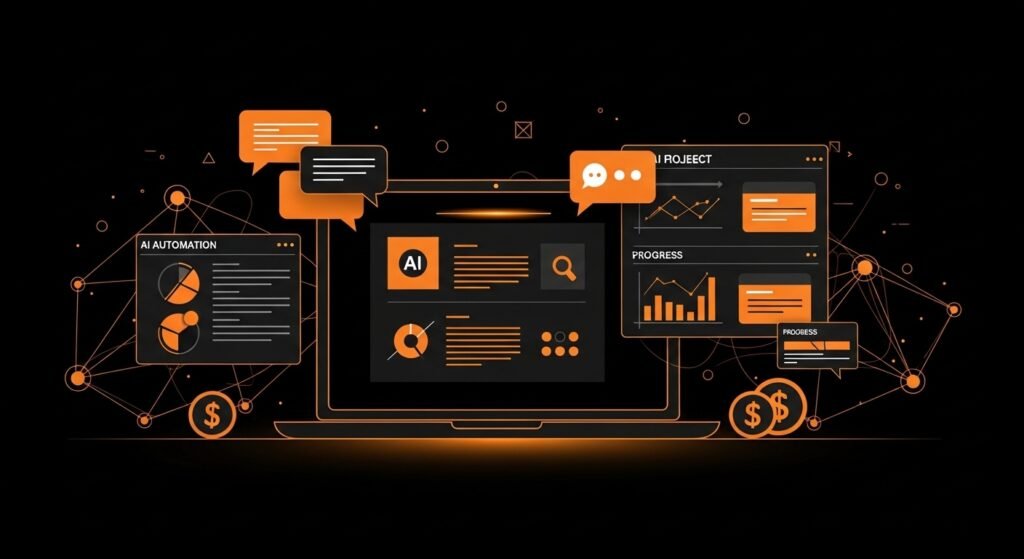
AI productivity tools help beginners manage time and tasks more effectively by bringing structure and clarity to daily routines. When handling multiple responsibilities, beginners often feel stressed and disorganized. AI productivity tools reduce this stress by organizing work, summarizing content, and automating repetitive tasks. These tools allow users to focus on important work instead of wasting time on planning and reminders. By using AI productivity tools regularly, beginners can improve focus, efficiency, and overall performance in both study and work.
Common features
• Task management
• Note organization
• Content summarization
• Scheduling assistance
Popular AI productivity tools
• Notion AI for task and note organization
• Todoist AI for task planning and reminders
• Microsoft Copilot for work productivity
• Google Workspace AI for documents and scheduling
• Evernote AI for smart note management
AI productivity tools help beginners stay organized, save time, and work with confidence.
AI Learning Tools
AI learning tools help beginners understand new topics in a simple and clear way. These tools explain complex concepts in easy language and provide instant answers, which makes learning less stressful. Beginners can learn at their own pace without pressure and repeat topics as many times as needed. AI learning tools are ideal for students and self learners who want flexible and personalized learning support. Over time, these tools help build confidence and improve understanding.
Popular AI learning tools
• ChatGPT for concept explanation and learning support
• Khan Academy AI for guided learning and practice
• Coursera AI features for structured online courses
• Duolingo AI for language learning
• Socratic by Google for homework help
When used regularly, AI learning tools make education more accessible, engaging, and effective for beginners.
AI Tools for Freelancing Beginners
AI tools are extremely powerful for beginners who want to start freelancing but feel unsure about their skills or experience. These tools help freelancers handle content creation, design, client communication, and project management with ease. By using AI tools, beginners can deliver professional quality work, meet deadlines, and compete confidently in the freelancing market.
For content creation, AI writing tools help beginners write articles, blog posts, product descriptions, proposals, and emails. This is very helpful for new freelancers who struggle with writing or English. AI design tools allow beginners to create social media posts, banners, thumbnails, and basic branding without learning complex software. This opens opportunities in graphic design and social media services.
Communication is another important part of freelancing. AI tools help beginners write professional client messages, proposals, and responses. This improves communication skills and creates a positive impression on clients. AI productivity and project management tools help freelancers organize tasks, track deadlines, and manage multiple projects efficiently.
AI tools also reduce fear and build confidence. Beginners feel more comfortable offering services when they know they have AI support. Instead of feeling stuck or overwhelmed, freelancers can focus on learning, improving, and delivering value.
Popular AI tools for freelancing beginners
• ChatGPT for writing, ideas, and client communication
• Grammarly for grammar and writing improvement
• Canva for graphic design and social media content
• Notion AI for task management and organization
• Jasper for marketing and copywriting
• Midjourney or DALL·E for AI image creation
• Trello with AI features for project tracking
Key benefits for beginners
• Professional quality work delivery
• Faster task completion
• Better communication with clients
• Reduced stress and fear
• Increased confidence and market competitiveness
When used wisely, AI tools become strong partners that help freelancing beginners grow skills, attract clients, and build a successful freelancing career.
AI Tools for Students
AI tools are highly beneficial for students at every level of education because they make learning easier, faster, and more organized. Students can use AI tools to get help with assignments, research work, note taking, and presentations. These tools reduce academic pressure, especially when students are dealing with multiple subjects, exams, and deadlines at the same time. With AI support, students can manage their studies more effectively and stay focused.
For assignments and research, AI tools help students understand questions clearly, generate ideas, and arrange information in a logical way. They can summarize long articles, explain difficult concepts in simple language, and help structure essays or reports. This is particularly helpful for students who find academic writing or complex subjects challenging.
AI tools also improve note taking and revision. Long lectures can be converted into short summaries, and notes can be organized topic wise for quick review. This makes revision easier and improves memory retention. For presentations, AI tools assist in creating well designed slides, suggesting content flow, and improving visual appeal, making presentations more professional and engaging.
Another important benefit of AI tools is personalized learning. Students can learn at their own pace and ask questions without hesitation. AI encourages curiosity, independent learning, and confidence.
Popular AI tools for students
• ChatGPT for explanations, assignments, and idea generation
• Grammarly for grammar correction and academic writing
• Notion AI for note taking and study organization
• Canva for presentations and visual projects
• QuillBot for paraphrasing and summarizing content
• Google Scholar with AI features for research support
Key benefits for students
• Helps with assignments and research
• Simplifies complex topics
• Supports note taking and summarization
• Improves presentation quality
• Saves time and reduces academic stress
• Encourages self learning and confidence
When used responsibly, AI tools become powerful learning companions that help students perform better and grow academically.
AI Tools for Small Businesses
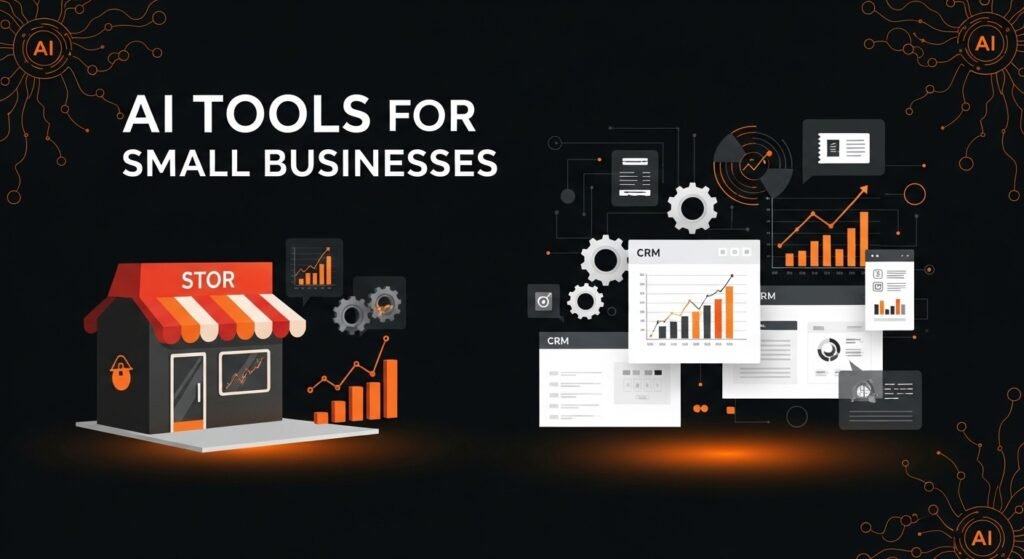
AI tools have become extremely useful for small businesses, especially for beginners who are managing everything on their own. Small business owners can use AI tools to improve marketing, customer communication, and branding without needing advanced technical skills. These tools help automate daily tasks and allow business owners to focus more on growth and strategy.
For marketing, AI tools help create social media posts, advertisements, product descriptions, and promotional content. This makes it easier for small businesses to maintain an online presence and reach more customers. In customer communication, AI tools can assist with replying to messages, managing emails, and handling basic customer queries. This improves response time and customer satisfaction.
Branding is another area where AI tools are helpful. Small businesses can design logos, banners, presentations, and promotional material using AI powered design tools. These tools provide professional quality results at a very low cost. Beginners can build a strong brand image without hiring designers or marketing agencies.
AI tools also help small businesses save time and money. Instead of hiring large teams for writing, design, or management tasks, one person can handle multiple roles with the help of AI. This makes AI tools a powerful support system for small business growth.
• Helps create marketing and promotional content
• Improves customer communication and response time
• Supports branding and visual identity
• Reduces the need for large teams
• Saves time and operational costs
• Easy to use for beginners
By using AI tools wisely, small businesses can compete effectively, work efficiently, and grow sustainably.
Ethical Use of AI Tools
Beginners should use AI tools in a responsible and ethical way. Artificial intelligence is designed to support learning, creativity, and productivity, not to replace honesty, effort, or originality. When beginners depend completely on AI without understanding or reviewing the output, it can limit real learning and skill development. Ethical use means using AI as a helper while keeping human thinking and creativity at the center.
AI generated content should never be used blindly. Users should always read, review, and improve the content with their own ideas and understanding. This helps avoid mistakes, misinformation, and low quality work. Adding personal input makes the content more meaningful and original. Ethical use also means respecting rules in education, work, and professional environments.
Responsible use of AI tools helps build trust. Teachers, clients, employers, and audiences value honesty and originality. When AI is used transparently and wisely, it supports long term growth and credibility instead of short term shortcuts.
• Use AI tools as support, not as a complete replacement for learning
• Always review and edit AI generated content before using it
• Add personal ideas, experience, and creativity to AI output
• Avoid using AI for plagiarism or dishonest academic work
• Respect platform rules, workplace policies, and ethical guidelines
• Do not rely on AI without understanding the topic yourself
• Use AI to improve skills, not to avoid effort
• Responsible use builds trust, credibility, and long term success
By following ethical practices, beginners can benefit from AI tools while maintaining integrity, originality, and professional growth.
Common Myths About AI Tools
Many beginners believe that AI tools are very difficult to use and only meant for programmers or technical experts. This myth creates unnecessary fear and prevents people from even trying these tools. In reality, most modern AI tools are designed specially for beginners. They come with simple interfaces, guided options, and clear instructions. Anyone with basic computer knowledge can start using AI tools without a technical background.
Another common myth is that AI tools will replace humans and take away jobs. This idea is based on misunderstanding how artificial intelligence works. AI tools depend on human instructions and supervision. They handle repetitive and time consuming tasks so humans can focus on creativity, planning, and decision making. AI increases efficiency but does not replace human intelligence.
Some beginners think using AI tools reduces creativity. This is incorrect. AI tools only assist and suggest ideas. The user always controls the final output. Beginners can edit, personalize, and improve AI generated content according to their own ideas and style.
There is also a myth that AI tools are expensive and not suitable for beginners. In reality, many AI tools offer free versions or affordable plans that are ideal for learning and practice.
Another misunderstanding is that AI tools always produce perfect results. AI tools are helpful but not flawless. Human review is necessary to ensure accuracy and quality.
• AI tools are beginner friendly and easy to use
• No technical or coding skills are required
• AI supports human work, it does not replace it
• Creativity and control always remain with the user
• Many AI tools are free or low cost
• Reviewing AI generated content is always important
Understanding these points helps beginners use AI tools with confidence and clarity.
FAQs
What are AI tools used for?
AI tools are used for writing, designing, learning, productivity, content creation, and task management.
Are AI tools safe for beginners?
Yes, AI tools are safe when used responsibly and from trusted platforms.
Can beginners earn money using AI tools
Yes, beginners can earn through freelancing, content creation, and online services using AI tools.
Do AI tools require technical skills?
No, basic computer knowledge is enough to start using most AI tools.
Are AI tools free?
Many AI tools offer free versions that are suitable for beginners.
Conclusion
AI tools have made technology simple and accessible for beginners by removing many of the barriers that once made digital work difficult. Tasks that previously required advanced technical skills, long training, or professional experience can now be completed easily with the help of artificial intelligence. Writing content, designing graphics, learning new subjects, creating videos, and managing daily work has become faster, more accurate, and more efficient. AI tools allow beginners to focus more on ideas and creativity instead of struggling with complex processes.
For beginners, learning AI tools is a smart and future focused step toward both personal and professional growth. With regular practice, beginners can quickly improve their skills and work quality. Responsible use of AI tools helps build confidence, discipline, and trust. These tools open new opportunities in education, freelancing, remote work, and small businesses. By understanding and using AI tools wisely, beginners can stay relevant in the digital world and prepare themselves for long term success in a rapidly changing technological environment.