


11 Proven Mobile App Development Road map Steps for Beginners
Mobile phones have completely transformed the way people live, work, and communicate. Today, smartphones are not just devices for calling or messaging; they function as personal assistants, learning tools, business platforms, and entertainment hubs. From ordering food and managing finances to attending online classes and monitoring health, mobile applications have become deeply integrated into everyday life. As a result, almost every industry now depends on mobile technology to reach users effectively.

A structured mobile app development roadmap provides clarity and direction. It helps beginners understand what to learn first, how concepts connect, and when to move to advanced topics. With consistent effort and the right learning path, anyone can develop professional mobile applications and unlock long term career opportunities in the digital economy.
Mobile app development is one of the most in demand digital skills worldwide. Businesses invest heavily in mobile solutions to increase engagement, improve customer experience, and stay competitive. Whether you aim to work for a company, freelance remotely, or build your own app based startup, mobile app development offers creativity, flexibility, and strong earning potential.
What Is Mobile App Development
Mobile app development is the process of creating software applications specifically designed to run on mobile devices such as smartphones and tablets. These applications are built for operating systems like Android and iOS, each with its own development environment, programming languages, and design guidelines.
The development process includes idea validation, planning, UI/UX design, coding, testing, deployment, and continuous updates. Mobile apps must be responsive, secure, and optimized for different screen sizes and hardware limitations. Unlike desktop software, mobile apps must consider battery usage, network availability, and touch based interactions.
Mobile app development combines technical skills with creative problem solving. Developers must translate real world problems into digital solutions that are easy to use and reliable. This makes mobile development both challenging and rewarding.
Types of Mobile Applications
Mobile applications are generally classified into three major types based on how they are built and deployed.
Native Applications
Native applications are developed specifically for a single platform using platform specific languages and tools. Android native apps are typically built using Kotlin or Java, while iOS native apps are developed using Swift. These apps offer the highest performance, smooth animations, and full access to device features such as camera, GPS, sensors, notifications, and offline storage.
Native apps are ideal for applications that require high performance, complex animations, or deep hardware integration, such as gaming, fintech, and health applications.
Cross Platform Applications
Cross platform applications allow developers to write one codebase and deploy it on multiple platforms, including Android and iOS. This approach significantly reduces development time and cost. Cross platform apps are commonly used for business apps, MVPs, and startups that want to reach users quickly.
Although performance may be slightly lower than native apps, modern cross platform frameworks provide near native experiences for most use cases.
Web Based Mobile Applications
Web based mobile applications run inside a mobile browser and are built using web technologies like HTML, CSS, and JavaScript. They do not require installation from app stores and are easier to update. However, they have limited access to device features and may not perform as smoothly as native or cross platform apps.
Why Mobile App Development Is a Valuable Skill
Mobile app development is considered a future proof skill due to continuous growth in mobile usage. Learning this skill opens multiple professional opportunities.
- High demand across industries
- Competitive global salaries
- Freelancing and remote work flexibility
- Opportunity to build personal products
- Continuous innovation and learning
Mobile developers are essential contributors to digital transformation, helping businesses adapt to changing consumer behavior.
Understanding Mobile Platforms
Before choosing a programming language, it is important to understand mobile platforms.
Android Platform Overview
Android is the most widely used mobile operating system globally. Developed by Google, it supports a wide range of devices and manufacturers. Android development offers open source tools, extensive documentation, and a massive developer community.
Android apps can target a global audience and are easier to publish, making Android an excellent starting point for beginners.
iOS Platform Overview
iOS is Apple’s mobile operating system used on iPhones and iPads. It is known for security, smooth performance, and strict quality standards. iOS development focuses on user experience and consistency across devices.
Choosing between Android and iOS depends on target users, budget, and long term goals.
Programming Fundamentals for Mobile Development
Programming fundamentals are the backbone of mobile app development. Beginners must learn variables, data types, conditions, loops, functions, and object oriented programming.
These fundamentals enable developers to think logically, write clean code, and solve problems effectively. Without a strong foundation, advanced topics become difficult to understand and implement.
Choosing the Right Programming Language
Each platform uses specific languages:
- Android: Kotlin (recommended), Java
- iOS: Swift
- Cross platform: Dart, JavaScript
Beginners should master one language before exploring others to avoid confusion.
Development Tools and Environments
Mobile app development requires specialized tools and development environments that help developers write, test, and maintain applications efficiently. These tools provide everything needed to build mobile apps, including code editors, interface designers, testing utilities, and performance monitoring features. Using the right development environment is essential for maintaining code quality and ensuring smooth application performance.
For Android development, Android Studio is the official integrated development environment (IDE). It offers a powerful code editor with smart code completion, built in debugging tools, and layout editors that allow developers to visually design user interfaces. Android Studio also includes emulators that simulate different Android devices, screen sizes, and operating system versions, enabling developers to test applications without needing physical devices.
For iOS development, Xcode serves as the primary IDE. Xcode provides tools for writing Swift or Objective C code, designing user interfaces, managing project files, and debugging applications. Its iOS simulator allows developers to test apps across multiple Apple devices, ensuring compatibility and performance consistency.
Efficient use of development tools and environments significantly improves developer productivity. Features such as automated builds, real time error detection, and integrated testing help identify issues early in the development process. This not only reduces development time but also minimizes bugs and improves overall code quality. As developers become more familiar with these tools, they can focus more on building features and delivering a better user experience rather than troubleshooting avoidable errors.
UI Design Principles
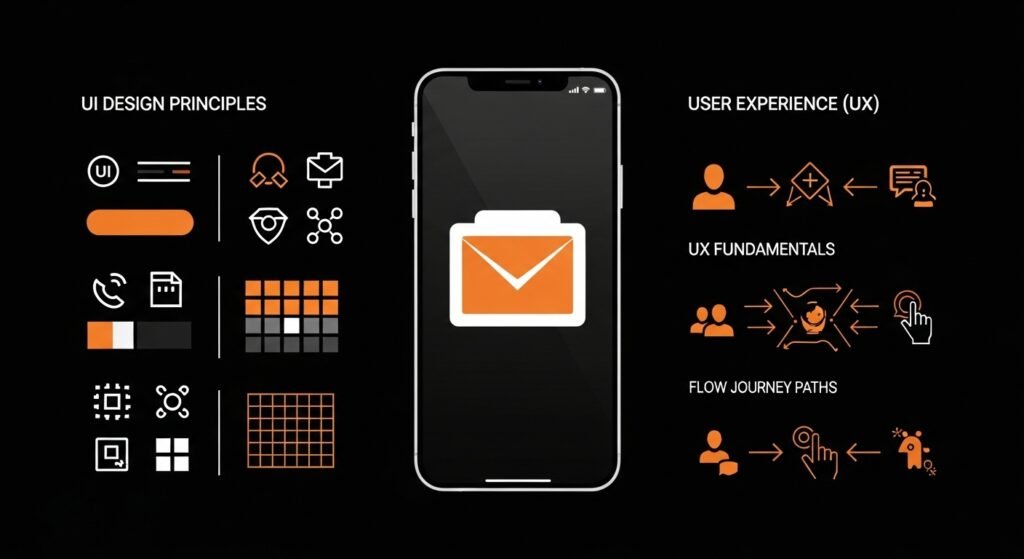
User Interface (UI) design defines the visual appearance and overall presentation of a mobile application. It focuses on how elements such as buttons, text, images, and layouts are arranged on the screen. A well designed UI not only makes an application visually appealing but also ensures that users can interact with it easily and intuitively.
One of the most important UI design principles is layout consistency. Consistent placement of navigation elements, buttons, and icons across screens helps users understand how the app works without confusion. Color balance also plays a vital role, as appropriate color combinations improve readability and guide user attention to important actions. Poor color choices, on the other hand, can make an app difficult to use or visually overwhelming.
Typography and spacing significantly impact user experience. Clear, readable fonts and proper spacing between elements improve accessibility and reduce cognitive load. Visual hierarchy, the arrangement of elements based on importance, helps users quickly identify key information and primary actions. By emphasizing important content through size, color, or placement, developers can guide users naturally through the interface.
A clean and minimal UI enhances usability and builds user trust. Overly complex designs with excessive animations or cluttered layouts often distract users and reduce engagement. In contrast, simple and well structured interfaces tend to perform better by providing clarity, faster navigation, and a more professional appearance. In mobile app development, simplicity and usability often matter more than visual complexity.
User Experience (UX) Fundamentals
User Experience (UX) focuses on how users interact with a mobile application and how they feel while using it. Unlike UI, which deals with visual appearance, UX is concerned with the overall usability, efficiency, and flow of the app. A well designed UX ensures that users can achieve their goals easily, without confusion or frustration.
One of the key elements of good UX is smooth navigation. Users should be able to move between screens naturally and understand where they are within the app at all times. Clear user flows, such as onboarding, registration, or checkout—help guide users step by step, reducing errors and drop offs. When actions follow a logical sequence, users feel more confident and engaged.
Fast response times and intuitive controls are also critical to user satisfaction. Delays, lag, or unresponsive elements can quickly frustrate users and lead to app abandonment. Controls such as buttons, gestures, and input fields should behave in predictable ways that align with user expectations. Providing immediate feedback, for example, loading indicators or confirmation messages reassures users that their actions are being processed.
Applications with poor UX often fail even if they offer valuable features. If users struggle to understand how an app works or encounter friction during common tasks, they are unlikely to continue using it. Investing in strong UX design improves user retention, builds trust, and ultimately determines the long term success of a mobile application.
App Architecture and Code Structure
App architecture defines how an application is designed and how its different components interact with each other. A well planned architecture creates a clear separation between the user interface, business logic, and data layers, making the app easier to understand and manage. Clean architecture improves maintainability by allowing changes and updates without affecting the entire system, and it also supports scalability so the application can grow smoothly as new features and users are added.
Well structured code plays a key role in saving development time and avoiding future problems. When code is organized clearly and consistently, debugging becomes easier and faster because issues can be traced to specific areas. This reduces technical debt, improves teamwork, and ensures long term stability, resulting in an application that is easier to maintain, update, and scale over time.
Working With Data Storage
Data storage is a fundamental aspect of mobile application development, as most apps need to store, retrieve, and manage data efficiently. Mobile applications typically use local storage to save data directly on the device and cloud storage to synchronize data across multiple devices and users. Understanding how data is stored and accessed is essential for building reliable, real world applications.
Local data storage allows apps to function even without an internet connection. Common use cases include saving user preferences, caching data, storing login sessions, or maintaining offline content. Local storage options may include lightweight databases, key value storage, or file based systems. Efficient local storage improves app performance and ensures a smooth user experience during poor or unavailable network conditions.
Cloud storage and databases enable data synchronization, backup, and real time updates. They allow user data to be securely stored on remote servers and accessed from different devices. This is especially important for apps that require user accounts, shared data, or real time collaboration. Cloud based solutions also simplify data management and scalability.
In addition to storage, developers must understand state management and data flow within the app. State management ensures that the user interface reflects the correct data at all times, while proper data flow helps maintain consistency between local and cloud data. A clear understanding of how data moves through an application helps prevent issues such as data loss, inconsistencies, and performance bottlenecks, making it a critical skill for professional mobile app development.
Networking and Server Communication
Modern mobile applications heavily depend on networking and server communication to deliver dynamic and real time functionality. Most apps interact with remote servers to fetch data, send user input, authenticate users, and synchronize information across devices. This communication is typically handled through APIs (Application Programming Interfaces), which act as a bridge between the mobile application and backend services.

Developers must understand how to manage data requests and responses effectively. This includes sending requests to the server (such as fetching user data or submitting a form) and correctly handling the responses returned by the API. Responses may contain success data, error messages, or status codes that indicate how the app should proceed. Proper parsing and validation of this data are essential to ensure accurate display and functionality within the app.
Error handling is a critical part of networking. Network failures, slow connections, or server issues are common in real world environments. Developers must anticipate these scenarios and implement strategies such as retries, timeout handling, and user friendly error messages. Without proper error handling, apps can crash or provide a poor user experience.
Secure communication and authentication are equally important. Applications often handle sensitive user data, so developers must ensure secure data transmission using encryption and authentication mechanisms such as tokens or session management. Implementing secure networking practices helps protect user privacy and prevents unauthorized access.
Reliable networking significantly improves application performance and stability. Efficient data handling reduces load times, prevents unnecessary network calls, and ensures consistent app behavior. By mastering networking and server communication, developers can build scalable, secure, and dependable mobile applications suitable for real world use.
Security Best Practices
Security is a critical aspect of mobile app development, as applications often handle sensitive user information such as personal details, login credentials, and payment data. Strong security practices help protect this data from unauthorized access, data breaches, and misuse. Beyond technical protection, security also plays a major role in building user trust and maintaining an app’s reputation.
Developers must ensure that sensitive data is properly encrypted, both when stored on the device and when transmitted over the network. Encryption prevents attackers from reading or modifying data even if it is intercepted. Secure authentication mechanisms, such as token based authentication, strong password policies, and multi factor authentication, further reduce the risk of unauthorized access to user accounts.
Following platform specific security standards is equally important. Mobile operating systems provide built in security guidelines and tools that help protect applications, such as secure storage systems, permission management, and sandboxing. Adhering to these standards ensures that the app meets industry expectations and complies with app store requirements.
Security should not be treated as an afterthought or added only at the final stage of development. Instead, it should be integrated from the beginning of the development process. Designing with security in mind helps prevent vulnerabilities early, reduces costly fixes later, and results in safer, more reliable applications. By prioritizing security throughout development, developers can deliver apps that users trust and confidently rely on.
Testing and Quality Assurance
- Testing is essential for app stability and performance
Testing ensures that a mobile application works correctly across different devices, screen sizes, and operating system versions. Since users access apps on a wide range of smartphones, thorough testing helps identify issues that may appear only on specific configurations. - Manual testing focuses on usability and user experience
Manual testing allows developers and testers to interact with the app as real users. It helps identify UI issues, navigation problems, confusing workflows, and overall usability concerns that automated tests may not detect. This type of testing is especially important during early development stages. - Automated testing ensures logic accuracy and consistency
Automated tests are used to verify application logic, data handling, and critical features. These tests can be executed repeatedly and quickly, making them ideal for detecting regressions when new features are added or code is modified. - Testing helps identify bugs before release
Early detection of bugs reduces the risk of crashes and unexpected behavior in production. Fixing issues during development is significantly less costly than addressing problems after an app has been released. - Quality assurance improves reliability and user trust
A well tested application delivers a smoother experience, fewer crashes, and better performance. High quality apps are more likely to receive positive reviews and ratings, which directly impacts user retention and app store visibility. - Consistent QA supports long term maintenance
Regular testing and quality checks make future updates safer and easier to implement. This ensures that the app remains stable as it evolves over time.
Performance Optimization
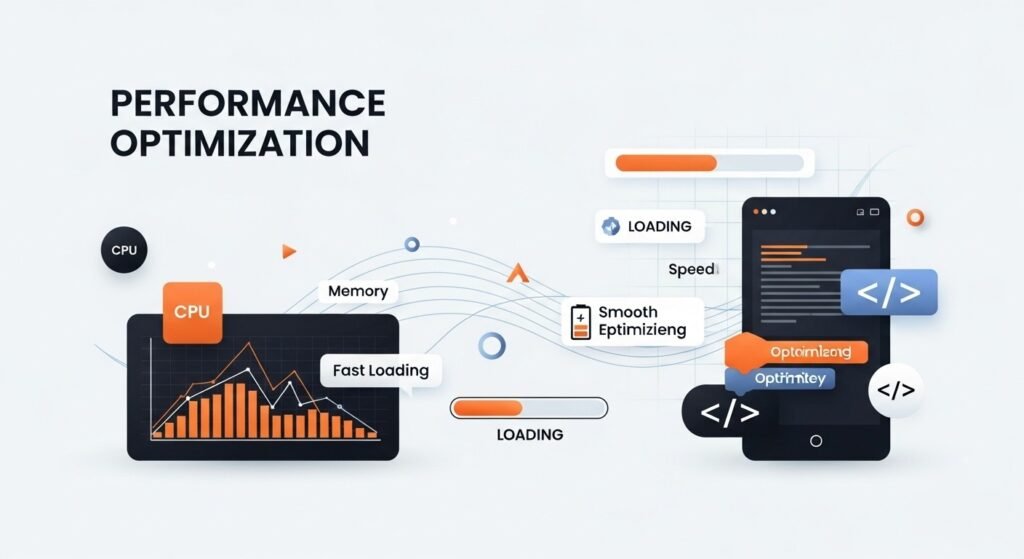
- Performance optimization improves speed and responsiveness
Optimized mobile applications load faster and respond quickly to user interactions. Faster load times create a smooth experience, while slow or laggy apps often frustrate users and lead to higher uninstall rates. - Efficient memory management is critical
Proper handling of memory prevents issues such as crashes, freezes, and excessive battery consumption. Developers must avoid memory leaks, release unused resources, and manage background processes carefully to ensure stable performance, especially on lower end devices. - Optimized UI rendering enhances user experience
Efficient UI rendering ensures that animations, transitions, and scrolling remain smooth. Poorly optimized layouts or excessive UI redraws can cause frame drops and make the app feel unresponsive. - Reduced resource consumption benefits both users and devices
Apps that consume less CPU, memory, and battery perform better and are more likely to be retained by users. Efficient apps also work well across a wider range of devices. - Performance issues directly affect user retention
Users expect apps to be fast and reliable. Even minor performance problems can result in negative reviews, reduced engagement, and app abandonment. High performing apps, on the other hand, encourage longer usage and better ratings. - Continuous performance monitoring is essential
Performance optimization is not a one time task. Regular monitoring and optimization during development and after release help maintain long term app quality.
Publishing Mobile Applications
Publishing a mobile application is the final and most critical stage of the development process. Before an app can be released on platforms such as the Google Play Store or Apple App Store, it must comply with strict platform guidelines. These guidelines cover areas such as functionality, security, privacy policies, content standards, and performance requirements. Failure to meet these standards often results in app rejection.
Developers must prepare accurate app descriptions, high quality screenshots, application icons, and legal documents such as privacy policies and terms of service. These elements help users understand the app’s purpose and build trust, while also assisting reviewers during the approval process. Proper preparation and adherence to guidelines significantly reduce rejection risks and speed up app approval.
Monetization Strategies
Monetization refers to the methods used to generate revenue from a mobile application. Common monetization models include advertisements, subscriptions, in app purchases, and premium features. Each model serves different business goals and user expectations. Free apps often rely on ads, while productivity and content based apps commonly use subscription models.
Ethical monetization is essential for long term success. Aggressive advertising, hidden charges, or misleading purchase prompts can damage user trust and lead to negative reviews. Transparent and user friendly monetization strategies create a balance between revenue generation and user satisfaction, resulting in sustainable growth.
Career Paths in Mobile App Development
Mobile app development offers diverse career opportunities across multiple industries. Developers can pursue full time roles in software companies, where they work within teams to build and maintain large scale applications. These roles often provide stability, structured workflows, and professional growth.
Other career paths include freelancing, startup development, consulting, and creating independent applications. Each path requires different skills and planning. For example, freelancers must manage clients and projects independently, while startup developers focus on innovation, scalability, and product market fit.
Freelancing and Remote Work
Freelancing and remote work have become increasingly popular in mobile app development. Developers can work with clients from around the world without being tied to a physical office. This flexibility allows for better work life balance and exposure to global projects.
Success in freelancing depends heavily on strong communication skills, reliability, and a professional portfolio. Clients prioritize developers who can clearly explain solutions and deliver quality work on time. As remote work continues to expand globally, mobile developers with strong skills are well positioned to benefit from these opportunities.
Building a Strong Portfolio
A strong portfolio is one of the most important assets for a mobile app developer. It demonstrates practical skills and real world experience rather than theoretical knowledge. Employers and clients prefer to see working applications, live demos, screenshots, and well documented source code.
Certificates and course completions hold limited value if they are not supported by real projects. A portfolio that highlights problem solving ability, clean design, and functional apps significantly improves career prospects.
Common Challenges for Beginners
Beginners in mobile app development often face challenges such as confusion, slow progress, and self doubt. The vast number of tools, frameworks, and technologies can make it difficult to choose a clear learning direction. As a result, many beginners feel overwhelmed and lose motivation.
Following a structured roadmap helps reduce these challenges. Consistency is the most effective solution. Regular practice, even in small amounts, leads to steady improvement and long term confidence.
Effective Learning Strategy
An effective learning strategy begins with mastering the basics before moving on to advanced topics. Understanding programming fundamentals, building small projects, and gradually increasing complexity helps learners develop strong foundations.
Focused learning produces better results than attempting to learn multiple technologies at once. Daily practice, hands on coding, and problem solving help reinforce concepts and accelerate progress.
Staying Motivated
Maintaining motivation throughout the learning process is essential. Setting clear goals, tracking progress, and acknowledging small achievements help learners stay engaged. Progress, even in small steps, builds confidence and momentum.
Motivation grows when learners can see tangible improvements in their skills, such as completing a feature or publishing a simple app. Consistent effort is more important than perfection.
Ethical Responsibilities of Developers
Mobile app developers have a responsibility to respect user privacy and maintain transparency. Ethical development includes protecting user data, requesting permissions responsibly, and clearly communicating how data is used.
Avoiding manipulative design practices and misleading behaviors builds long term trust. Ethical applications not only comply with regulations but also earn loyal users and a strong reputation.
Future of Mobile App Development
The future of mobile app development remains strong and full of opportunities. Emerging technologies such as artificial intelligence, wearable devices, and smart systems are reshaping mobile experiences. Developers who adapt early to these changes gain a competitive advantage.
As technology continues to evolve, mobile apps will remain central to digital innovation. Developers who commit to continuous learning and adaptability will find long term success in this growing field.
Frequently Asked Questions
1. Is mobile app development suitable for beginners?
Yes, beginners can start with basic concepts and learn step by step. With proper guidance and practice, mobile app development is beginner friendly.
2. How long does it take to become a mobile app developer?
With consistent practice, strong fundamentals can be built in six to nine months. Progress depends on learning focus and hands on projects.
3. Which platform should beginners start with?
Android is often recommended due to its wide adoption and accessible tools. It also offers abundant learning resources for beginners.
4. Can mobile app development be self taught?
Yes, many developers learn through online resources and practice. Self learning is effective with discipline and consistency.
5. Is mobile app development a long term career?
Yes, the field offers long term stability and growth. Demand continues to increase as mobile technology evolves.
Conclusion
Mobile app development is not just about writing code; it is about solving real world problems through technology. In today’s digital first economy, mobile applications serve as a direct connection between businesses and users. A structured learning roadmap helps beginners avoid confusion and focus on the skills that truly matter.
Success in mobile app development requires patience, consistency, and continuous learning. From mastering fundamentals and choosing the right platform to understanding design, security, and performance, every step contributes to long term professional growth. With dedication and the right strategy, mobile app development can become a powerful and rewarding career.